పరిచయం (Introduction)
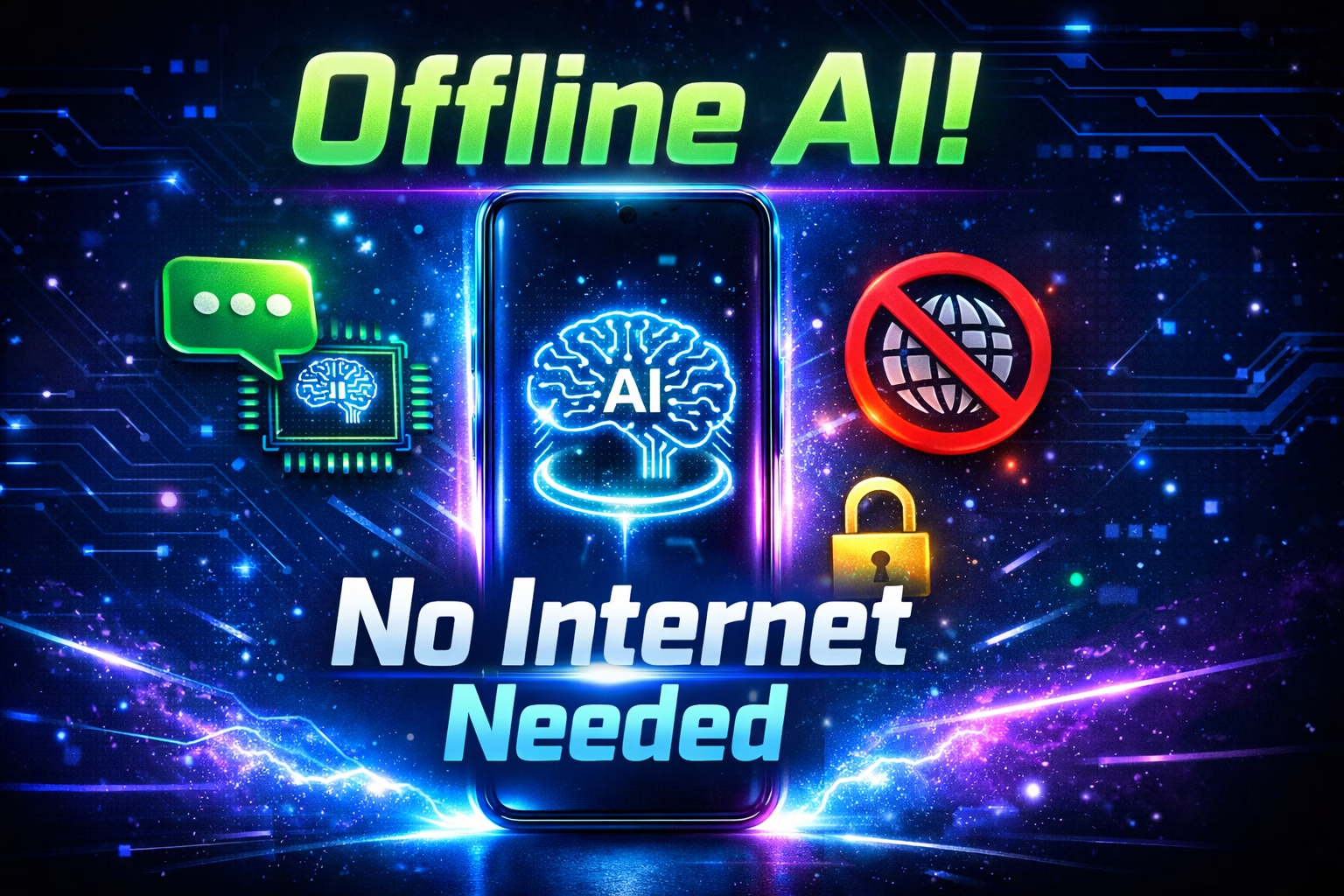
Internet లేకుండా AI వాడవచ్చా? అది కూడా పూర్తిగా Free గా, మీ Privacy Safe గా? 😱
అవును! Google AI Edge Gallery అనే App వల్ల ఇది Possible! ఇది Google తయారు చేసిన ఒక Revolutionary App — దీంతో మీ Phone లోనే AI Run అవుతుంది, Internet అక్కర్లేదు, Data అక్కర్లేదు!
Google AI Edge Gallery Telugu Review లో మనం అన్నీ నేర్చుకుంటాం:
- Google AI Edge Gallery అంటే ఏమిటి?
- ఇది ఎలా పని చేస్తుంది?
- ఏమేమి Features ఉన్నాయి?
- ఎవరికి Useful?
- ఎలా Install చేయాలి?
- ChatGPT, Gemini తో Compare చేస్తే ఏమి తేడా?
చదవడం మొదలుపెట్టండి — మీ Phone లో AI Magic మొదలవుతుంది! 🤖
Google AI Edge Gallery అంటే ఏమిటి?
Google AI Edge Gallery అనేది Google యొక్క Official Open-source App. దీన్ని వాడి మీ Phone లోనే Advanced AI Models Run చేయవచ్చు — Internet Connection అవసరం లేదు!
Simple గా అర్థం చేసుకోవాలంటే:
Normal AI (ChatGPT, Gemini):
మీ Question → Internet → Google/OpenAI Servers → Answer

Google AI Edge Gallery:
మీ Question → మీ Phone లోనే → Instant Answer
(Internet అవసరం లేదు!)
Key Facts:
| Feature | Details |
|---|---|
| Developer | Google AI Edge Team |
| Price | పూర్తిగా Free ✅ |
| Platform | Android + iOS ✅ |
| Internet | అవసరం లేదు! ✅ |
| Privacy | 100% On-Device ✅ |
| OS Requirement | Android 12+ / iOS 17+ |
| Open Source | Yes — GitHub లో Available |
| Last Updated | April 2026 |
Google AI Edge Gallery ఎందుకు Special?
1. 100% Offline AI 📴
Internet లేని చోట కూడా AI వాడవచ్చు! Train లో, Airplane లో, Remote Area లో — ఎక్కడైనా!
2. 100% Privacy 🔒
మీ Data, Questions, Photos — ఏదీ Google Servers కి వెళ్ళదు. అన్నీ మీ Phone లోనే Process అవుతాయి. గతంలో AI Apps మీ Data Cloud కి పంపేవి — AI Edge Gallery అలా చేయదు!
3. Gemma 4 AI Model 🤖
Google యొక్క Latest AI Model Gemma 4 ఇందులో Run అవుతుంది. ఇది Flagship Models తో Compete చేయగల Powerful Model.
4. పూర్తిగా Free 💰
Download చేయడానికి Free, వాడటానికి Free, Data అవసరం లేదు కాబట్టి Data Bill కూడా లేదు!
Google AI Edge Gallery Features వివరంగా! 🎯
Feature 1: AI Chat 💬
Normal ChatGPT లా AI తో Conversation చేయవచ్చు — కానీ Offline లో!
ఏమి చేయవచ్చు:
- Questions అడగవచ్చు
- Messages రాయడంలో Help కావచ్చు
- Stories, Poems రాయించవచ్చు
- Complex Topics Explain చేయించవచ్చు
- Summaries తయారు చేయించవచ్చు
- Multi-turn Conversations చేయవచ్చు — Context Remember అవుతుంది!
ఉదాహరణ Prompts (Telugu లో అడగవచ్చు):
"నాకు WhatsApp కి Professional Message రాయి"
"IPL గురించి Short Summary చెప్పు"
"Resume కోసం Objective Write చేయి"
"Python Code Explain చేయి"
Feature 2: Ask Image 🖼️
Photo Upload చేసి AI ని అడగవచ్చు! Image లో ఏముందో Analyze చేస్తుంది.
ఏమి చేయవచ్చు:
- Photo లో Text చదవడం
- Product Photo చూసి Information ఇవ్వడం
- Document Scan చేసి Explain చేయడం
- Plant, Animal Identify చేయడం
- Math Problem Photo తీసి Solve చేయమనడం
ఉదాహరణ: Menu Photo తీసి “ఇందులో Best Dish ఏది?” అని అడగవచ్చు!

Feature 3: Audio Scribe (Voice Transcription) 🎙️
Voice Recording ని Text గా Convert చేస్తుంది — Offline లో! Meeting Notes, Lectures, Interviews అన్నీ Automatically Text అవుతాయి.
ఉపయోగాలు:
- Class Notes తీసుకోవడానికి
- Meeting Minutes రాయడానికి
- Interview Transcribe చేయడానికి
- Podcast Notes తయారు చేయడానికి
Feature 4: Agent Skills 🤝
ఇది Google AI Edge Gallery యొక్క అత్యంత Powerful Feature! AI ని “Agent” గా వాడవచ్చు — Multi-step Tasks Automatically చేయిస్తుంది.
Agent Skills ఉదాహరణలు:
Mobile Actions:
- “Wi-Fi Off చేయి” అంటే AI తనే Settings తెరచి Off చేస్తుంది!
- “Flashlight On చేయి” అంటే వెంటనే On అవుతుంది
- “Do Not Disturb Enable చేయి” — Automatic!
- Natural Language తో Phone Controls వాడవచ్చు
Wikipedia Skill:
- AI Wikipedia నుండి Information తెచ్చి Answer ఇస్తుంది
- Fact-checking కి Useful
Tiny Garden (Game):
- Built-in Relaxation Game
- AI తో Interactive Garden Game
Custom Skills:
- GitHub నుండి మీ Own Skills Create చేయవచ్చు!
- Developers కి Great Opportunity
Feature 5: AI Models Management 📦
App లో వేరే వేరే AI Models Download చేసుకోవచ్చు:
| Model | Size | Best For |
|---|---|---|
| Gemma 4 E2B | ~2GB | Normal Phones (8GB RAM) |
| Gemma 4 E4B | ~4GB | Better Phones (12GB RAM+) |
| FunctionGemma | Small | Agent Tasks |
Custom Models: మీరు Hugging Face నుండి వేరే Models కూడా Import చేయవచ్చు!
Feature 6: Benchmark Testing 📊
మీ Phone లో AI ఎంత వేగంగా Run అవుతుందో Test చేయవచ్చు:
- Prefill Speed చూడవచ్చు
- Decode Speed Measure చేయవచ్చు
- వేరే Models Compare చేయవచ్చు
Pixel 7 Pro లో Performance:
- Prefill: 1916 tokens/second!
- Decode: 142 tokens/second
ఎలా Install చేయాలి? Step-by-Step Guide 📲
Android లో:
Step 1: Play Store Open చేయండి
Step 2: "Google AI Edge Gallery" Search చేయండి
Step 3: Install చేయండి
Step 4: App Open చేయండి
Step 5: Storage Permission Allow చేయండి
Step 6: "Get Models" Tap చేయండి
Step 7: Gemma 4 E2B Select చేయండి (Beginners కి)
Step 8: Download Complete అయిన తర్వాత AI Chat Start చేయండి ✅
iPhone లో:
Step 1: App Store Open చేయండి
Step 2: "Google AI Edge Gallery" Search చేయండి
Step 3: Install చేయండి
Step 4: App Open చేసి Model Download చేయండి ✅
⚠️ Important Requirements:
| Requirement | Details |
|---|---|
| Android Version | Android 12+ |
| iOS Version | iOS 17+ |
| RAM | 8GB+ Recommended |
| Storage | 3-5GB Free Space కావాలి |
| Internet | Only for Initial Model Download |
Google AI Edge Gallery vs ChatGPT vs Gemini
| Feature | AI Edge Gallery | ChatGPT | Google Gemini |
|---|---|---|---|
| Price | Free ✅ | Free/Paid | Free/Paid |
| Offline | ✅ Yes | ❌ No | ❌ No |
| Privacy | ✅ 100% Local | ❌ Cloud | ❌ Cloud |
| Internet | ❌ కావాలి Only Download కి | ✅ కావాలి | ✅ కావాలి |
| Speed | Phone Hardware పై Depends | Fast | Fast |
| Latest Info | ❌ Training Data వరకు | ✅ Real-time | ✅ Real-time |
| Image Analysis | ✅ | ✅ | ✅ |
| Voice | ✅ Audio Scribe | ✅ | ✅ |
| Phone Control | ✅ Agent Skills | ❌ | ❌ |
| Custom Models | ✅ | ❌ | ❌ |
ఏది వాడాలి?
Privacy Important అయితే → AI Edge Gallery ✅
Internet లేని చోట → AI Edge Gallery ✅
Latest News కావాలంటే → ChatGPT / Gemini
Best Quality కావాలంటే → ChatGPT / Gemini
Phone Control కావాలంటే → AI Edge Gallery ✅
Google AI Edge Gallery వాడటానికి Best Phone ఏది?
Performance Phone Hardware పై Depend అవుతుంది:
Excellent Performance:
- OnePlus Nord 6 (Snapdragon 8s Gen 4)
- Flagship Phones (Snapdragon 8 Gen 3+)
- Google Pixel 8 Pro, 9 Pro
- iPhone 15 Pro, 16 Series
Good Performance:
- Samsung Galaxy A36 (Snapdragon 6 Gen 3, 8GB RAM)
- Redmi Note 14 Pro (8GB RAM+)
- Vivo T5 Pro (Snapdragon 7s Gen 4)
Limited Performance:
- 4GB RAM Phones — Slow అవుతుంది
- Old Processors — Models Load కావడానికి Time పడుతుంది
Gemma 4 Model అంటే ఏమిటి?
Gemma 4 అనేది Google యొక్క Latest Open AI Model. AI Edge Gallery లో ఇది Run అవుతుంది.
Gemma 4 Variants:
| Variant | Size | Required RAM | Best For |
|---|---|---|---|
| Gemma 4 E2B | ~1.5GB | 8GB+ | Normal Use |
| Gemma 4 E4B | ~3GB | 12GB+ | Better Quality |
| Gemma 4 12B | ~8GB | Laptop | Complex Tasks |
Gemma 4 Special Features:
- Multimodal — Text + Image రెండూ Handle చేయగలదు
- Function Calling — Phone Settings Control చేయగలదు
- Open License — Personal + Commercial Use Allowed
Real-world Use Cases Telugu Users కి 💡
Students కి:
- Class Notes Voice Recording → Automatic Text
- Homework లో Doubts — AI అడగవచ్చు
- Essay Writing Help
- Math Problem Solve చేయడం
- Internet లేని Areas లో Study చేయడం
Professionals కి:
- Meeting Notes Transcribe చేయడం
- Email Drafts రాయడం
- Report Summaries తయారు చేయడం
- Privacy Sensitive Documents Analyze చేయడం
Daily Users కి:
- WhatsApp Messages రాయడంలో Help
- Phone Settings Voice తో Control
- Recipes, Tips అడగడం
- Translation చేయడం
Developers కి:
- Custom AI Skills Build చేయడం
- Code Review చేయడం
- App Development Help
- Open Source Contribution
Pros & Cons
Google AI Edge Gallery Pros ✅
- పూర్తిగా Free — Zero Cost
- 100% Offline — Internet అక్కర్లేదు
- Complete Privacy — Data Cloud కి వెళ్ళదు
- Android + iOS రెండింటిలో Available
- Gemma 4 Powerful Model
- Agent Skills — Phone Control చేయవచ్చు
- Custom Models Import చేయవచ్చు
- Open Source — Transparent
- Multi-turn Conversation Support
- Audio Transcription Feature
Google AI Edge Gallery Cons ❌
- Phone Hardware పై Performance Depend అవుతుంది
- 4GB RAM Phones లో Slow
- Latest Real-time Information లేదు
- Storage Space 3-5GB కావాలి
- ChatGPT, Gemini కంటే Knowledge తక్కువ
- Initial Model Download కి Internet కావాలి
- Telugu Language Support Limited (English Better)
- Battery Usage ఎక్కువగా ఉంటుంది
నా Final Verdict 🏆
Google AI Edge Gallery అనేది Privacy-first AI App. Internet లేకుండా, Data Bill లేకుండా, పూర్తిగా Free గా AI వాడాలనుకుంటే — ఇది Best Choice!

ChatGPT మరియు Gemini Online AI Assistants కి Compete చేయడం ఈ App Goal కాదు. ఇది Privacy + Offline AI కి Best Solution.
Recommended కి:
- Privacy Conscious Users ✅
- Offline Use చేయాల్సిన వారు ✅
- Students (Internet లేని Areas లో) ✅
- Developers (Custom AI Apps Build చేయాలంటే) ✅
- Tech Enthusiasts ✅
Rating: 8/10 ⭐⭐⭐⭐⭐⭐⭐⭐
FAQs
Q1: Google AI Edge Gallery అంటే ఏమిటి? Google AI Edge Gallery అనేది Google తయారు చేసిన Free App. ఇందులో AI Models మీ Phone లోనే Run అవుతాయి — Internet అక్కర్లేదు, Privacy 100% Safe.
Q2: Google AI Edge Gallery Free నా? అవును! పూర్తిగా Free. Download కూడా Free, వాడడం కూడా Free. Internet Bill కూడా కాదు — Model Download కి మాత్రమే Internet కావాలి.
Q3: Internet లేకుండా AI Chat చేయవచ్చా? అవును! ఒకసారి Model Download చేసిన తర్వాత Internet లేకుండా AI Chat చేయవచ్చు. Airplane Mode లో కూడా పని చేస్తుంది!
Q4: Telugu లో AI తో Chat చేయవచ్చా? Gemma 4 Telugu Support చేస్తుంది కానీ English కంటే తక్కువ Accurate గా ఉంటుంది. English లో Best Results వస్తాయి.
Q5: ఏ Phone కి Best గా పని చేస్తుంది? 8GB RAM+ తో ఉన్న Phones కి Better Performance వస్తుంది. OnePlus Nord 6, Samsung A36 (8GB), Vivo T5 Pro వంటి Phones కి Good Performance వస్తుంది.
Q6: ChatGPT కంటే Google AI Edge Gallery Better నా? వేరే వేరే Use Cases కి. Privacy + Offline కి AI Edge Gallery Better. Latest News + Better Quality కి ChatGPT Better. రెండూ Free లో వాడవచ్చు!
Q7: Custom AI Models Import చేయవచ్చా? అవుతుంది! Hugging Face నుండి వేరే Models Import చేయవచ్చు. Developers కి ఇది చాలా Useful Feature.
Download Links
- 📱 Android → Play Store లో “Google AI Edge Gallery” Search చేయండి
- 🍎 iPhone → App Store లో “Google AI Edge Gallery” Search చేయండి
- మరింత Telugu Tech Tips → TeluguTech.io
మీరు Google AI Edge Gallery వాడారా? Experience ఎలా ఉందో Comment లో చెప్పండి! 👇
ఈ Article మీ Friends తో Share చేయండి — వారు కూడా Offline AI Enjoy చేయవచ్చు! 😊
TeluguTech.io — తెలుగు లో Tech అర్థం చేసుకోవడానికి మీ Trusted Source! 🙏