How to Create a Free Website (Beginner’s Complete Guide)
వెబ్సైట్ తయారు చేయాలనుకుంటున్నారు కానీ డబ్బులు ఖర్చు చేయాలనుకోవట్లేదా? మీరు ఒంటరిగా లేరు.
చాలా మంది స్టూడెంట్స్, బ్లాగర్స్, ఫ్రీలాన్సర్స్, చిన్న బిజినెస్ ఓనర్స్ మొదటగా “free website ఎలా create చేయాలి?” అని సెర్చ్ చేస్తారు. మంచి విషయం ఏమిటంటే — 2026లో ఇది చాలా సులభం. Coding అవసరం లేదు. Technical knowledge అవసరం లేదు. పెద్ద budget కూడా అవసరం లేదు.
ఈ guideలో How to Create a Free Website పూర్తి వివరంగా, step-by-step తెలుగులో explain చేస్తున్నాను. ఈ article పూర్తి గా చదివితే మీరు మీ సొంత వెబ్సైట్ను confidentగా create చేయగలరు.
Free Website ఎందుకు Create చేయాలి?
ముందుగా free website create చేయడం ఎందుకు మంచిదో చూద్దాం.
Free website ద్వారా మీరు:
- మీ ideas ప్రపంచానికి share చేయవచ్చు
- Blog start చేయవచ్చు
- Personal brand build చేయవచ్చు
- Portfolio showcase చేయవచ్చు
- Small business promote చేయవచ్చు
- Online idea test చేయవచ్చు
Beginner అయితే free option best. Risk లేకుండా నేర్చుకోవచ్చు.
Step 1: సరైన Free Website Builder ఎంచుకోండి
How to Create a Free Website లో మొదటి step అంటే సరైన free website builder platform select చేయడం. ఇది మీ website growth కి చాలా important. మీ goals ఆధారంగా platform change కావచ్చు — blog, business, portfolio. Market lo బాగా bekannte options: WordPress.com, Wix, Google Sites. వ్యక్తిగతంగా నా opinion ఇది — WordPress.com చాలా versatile, beginner-friendly, future growth కి best.
1️⃣ WordPress.com
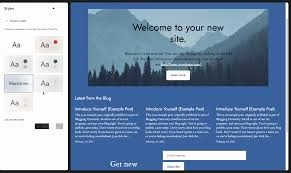
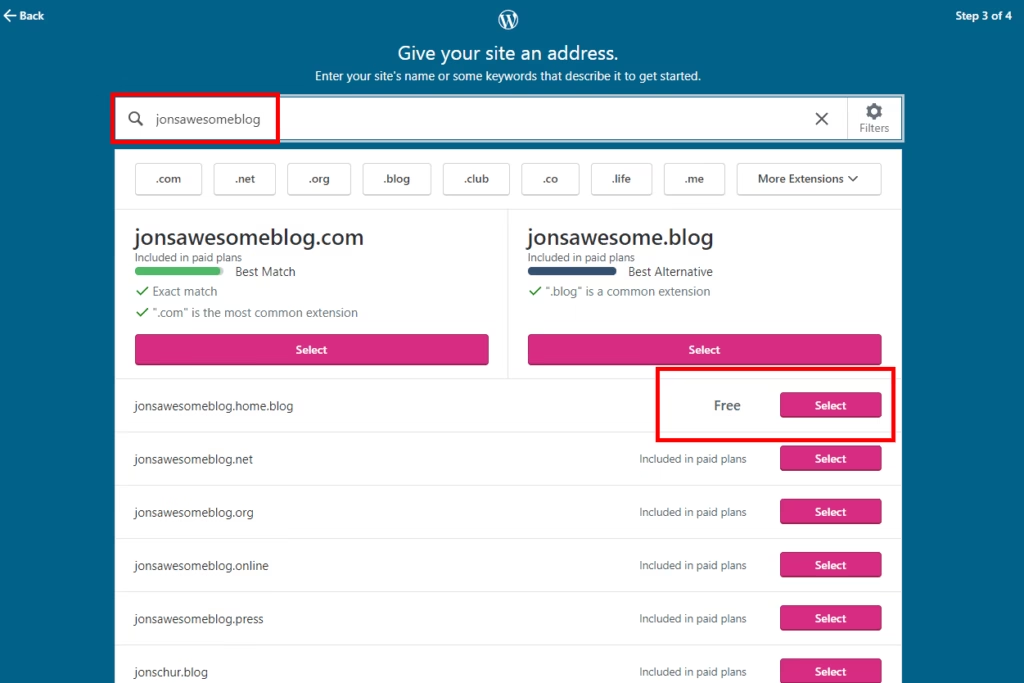
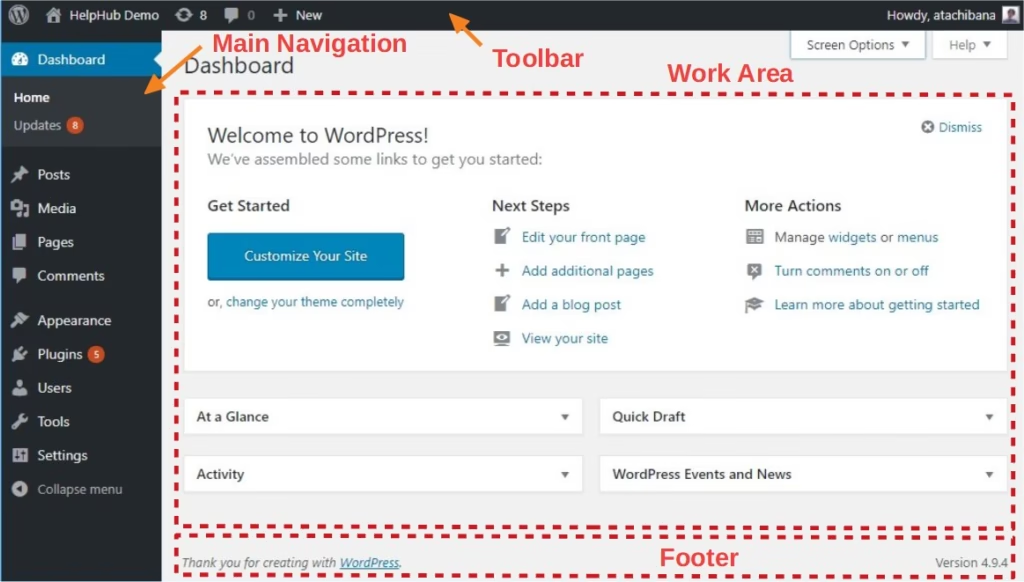
Best for: Blogging & Content Websites
- Free subdomain (yoursite.wordpress.com)
- Easy interface
- Free themes అందుబాటులో ఉంటాయి
- Free plan లో limited customization
Blog start చేయాలంటే ఇది మంచి option.
2️⃣ Wix
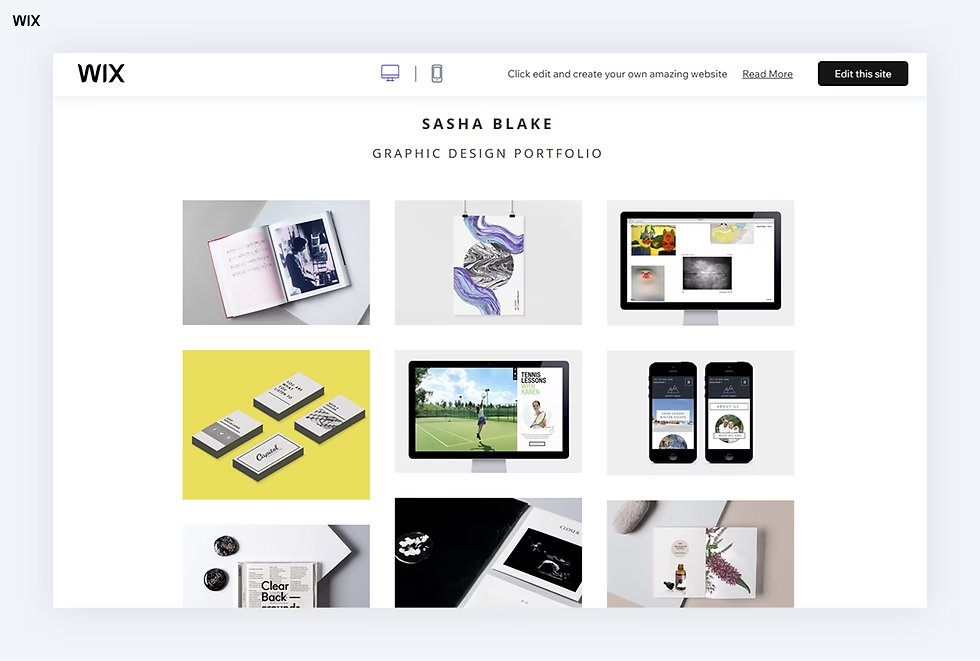
Best for: Business & Creative Websites
- Drag & Drop builder
- Modern templates
- Hosting free
- Free plan లో Wix ads ఉంటాయి
Coding తెలియకపోయినా easyగా design చేయవచ్చు.
3️⃣ Google Sites
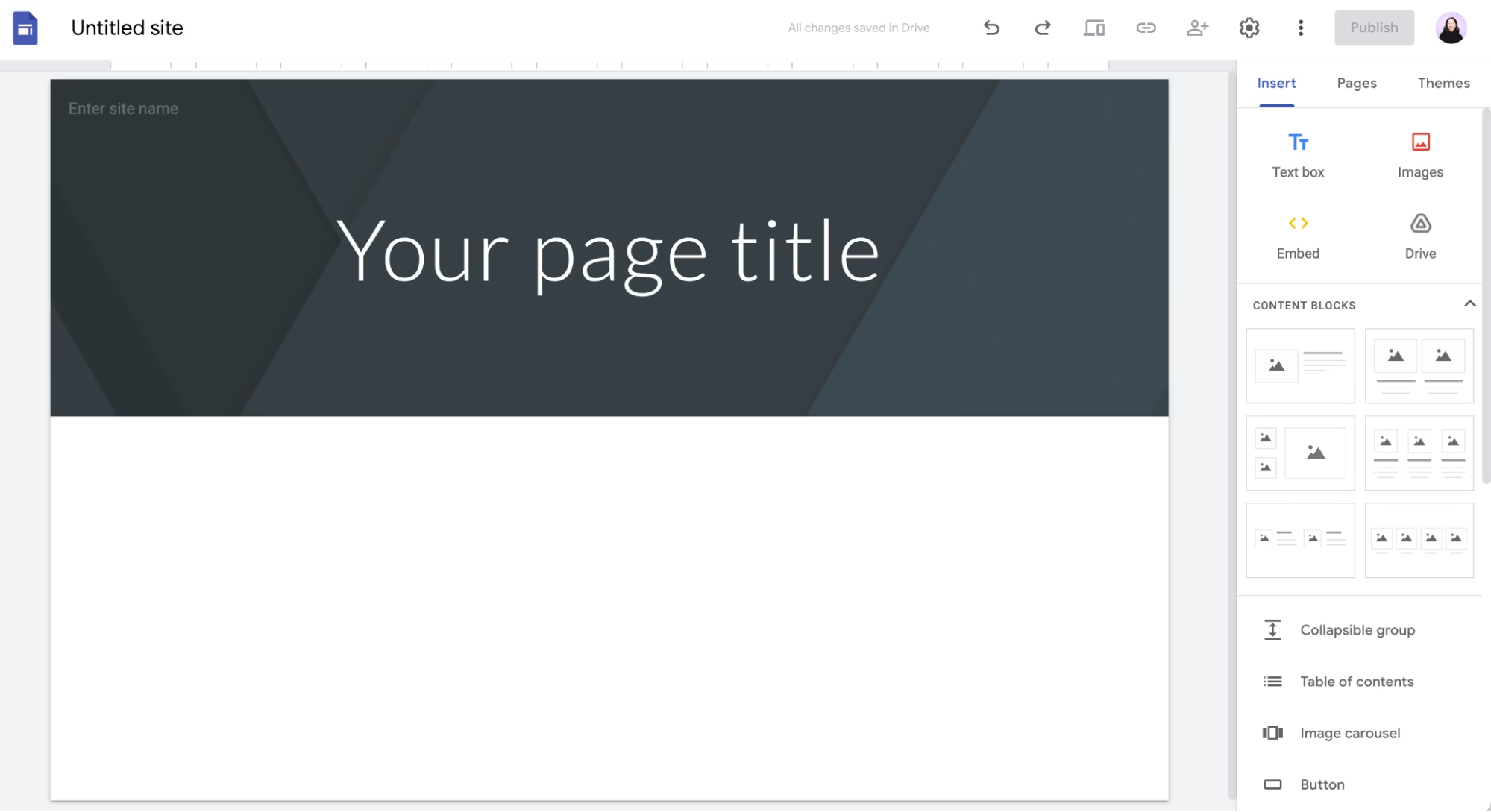
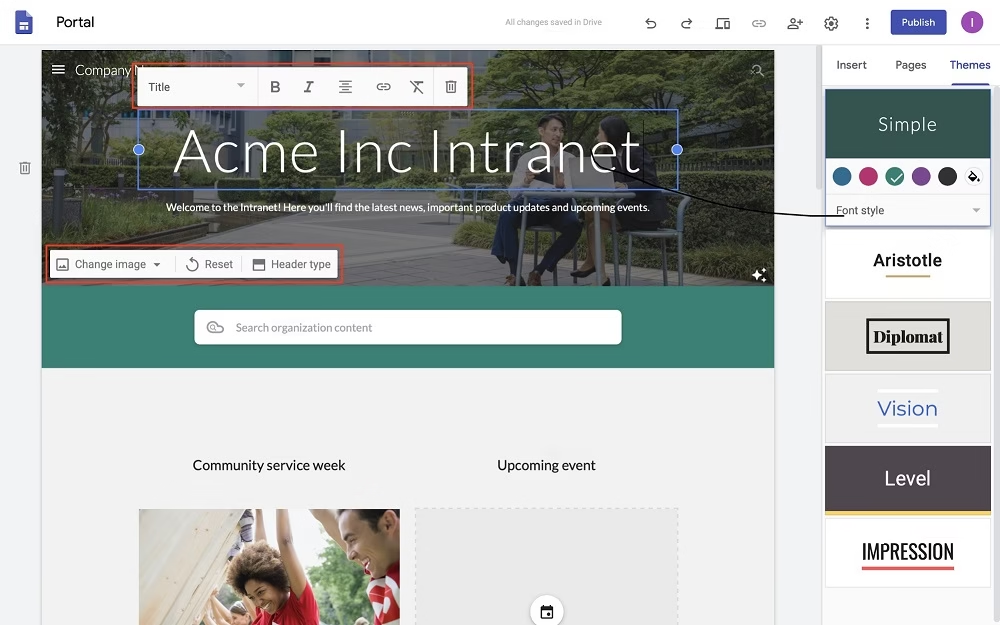
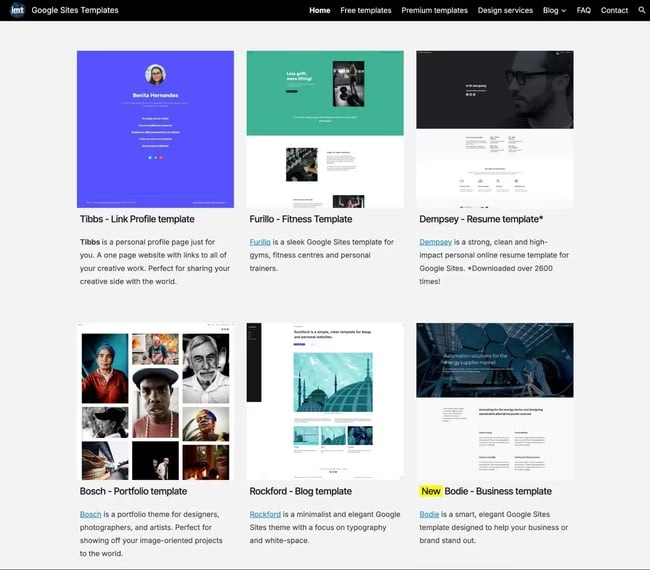
Best for: Students & Simple Projects
- Completely free
- Very simple interface
- Limited design options
School projects లేదా simple info website కి perfect.
Step 2: Free Account Create చేయడం (వివరంగా)
మీరు ఏ free website builder (WordPress.com, Wix లేదా Google Sites) ఎంచుకున్నారో decide అయిన తర్వాత, next important step Free Account Create చేయడం. ఇది చాలా simple process. Technical knowledge అవసరం లేదు. 5–10 నిమిషాల్లో పూర్తవుతుంది.
ముందుగా మీరు ఎంచుకున్న platform official website కి వెళ్లాలి. Google లో platform పేరు type చేసి first result open చేయండి. Fake websites లేదా third-party links avoid చేయడం మంచిది. Official website open అయిన వెంటనే, home page లోనే మీకు “Sign Up”, “Get Started” లేదా “Create Website” అనే button కనిపిస్తుంది. దానిపై click చేయండి.
ఇప్పుడు account creation page open అవుతుంది. ఇక్కడ సాధారణంగా రెండు options ఉంటాయి.
- Email ద్వారా Sign Up
- Google account తో Sign Up
Email ద్వారా sign up చేస్తే, మీ active email address enter చేయాలి. Strong password create చేయండి. Easy passwords ఉపయోగించకండి. Website security కోసం ఇది చాలా important.
Google account option ఎంచుకుంటే, ఒక click తో login అయిపోతారు. Beginners కి ఇది చాలా easy method.
Details submit చేసిన తర్వాత, platform మీ email కి ఒక verification link పంపుతుంది. మీరు మీ inbox open చేసి ఆ mail లో ఉన్న link పై click చేయాలి. ఇది మీ account real అని confirm చేయడానికి ఉపయోగపడుతుంది. Email verify చేయకుండా website publish చేయలేరు కాబట్టి, ఈ step skip చేయకండి.
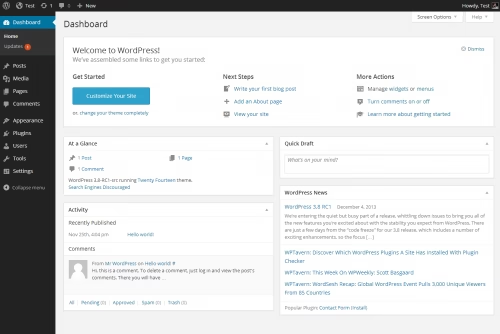
Email verification complete అయిన తర్వాత, మీరు dashboard కి automatically redirect అవుతారు. ఇదే మీ website control panel. ఇక్కడ నుంచే మీరు template select చేయడం, pages add చేయడం, design customize చేయడం అన్నీ చేయవచ్చు.
ముఖ్యంగా గుర్తుంచుకోవాల్సిన విషయం ఏమిటంటే — Free account create చేయడానికి ఎలాంటి payment అవసరం లేదు. Card details, UPI లేదా bank info అడిగితే, అది paid plan లేదా upgrade option మాత్రమే. Free plan choose చేస్తే safe.
ఈ step complete అయిన తర్వాత, మీరు నిజంగా How to Create a Free Website journey లో second stage complete చేసినట్టే. ఇప్పుడు next step template selection వైపు confidently వెళ్లవచ్చు.
SStep 3: Template Select చేయండి
Free account create చేసిన తర్వాత next important step Template Select చేయడం. Template అంటే ముందే design చేసి పెట్టిన website layout. అంటే, మీరు zero నుంచి design చేయాల్సిన అవసరం లేదు. Ready-made structure మీకు అందుబాటులో ఉంటుంది. మీరు content add చేసి customize చేస్తే సరిపోతుంది.

Template select చేసే సమయంలో కొన్ని విషయాలు తప్పనిసరిగా గుర్తుంచుకోండి.
మొదటగా, clean design choose చేయండి. చాలా colors, crowded layout, confusing menus ఉన్న templates avoid చేయండి. Simple & neat design professional look ఇస్తుంది.
రెండవది, too many animations avoid చేయండి. Excess animations website speed తగ్గిస్తాయి. Slow website visitors కి ఇష్టం ఉండదు.
మూడవది, mobile friendly template select చేయాలి. ఇప్పుడున్న traffic లో ఎక్కువ శాతం mobile నుంచే వస్తుంది. Mobile లో properly display కాకపోతే visitors వెంటనే exit అవుతారు.
నాలుగవది, మీ purpose కి match అయ్యే template select చేయండి. Blog start చేస్తే blogging template, business promote చేయాలంటే business layout, portfolio అయితే creative template choose చేయాలి.
మరొక మంచి విషయం ఏమిటంటే — later మీరు template change చేసుకోవచ్చు. కాబట్టి first time perfect గా choose చేయలేకపోయినా tension పడాల్సిన అవసరం లేదు. Simple గా start చేయండి.
Step 4: Website Customize చేయండి
ఇప్పుడు customization time.
Add చేయాల్సినవి:
- Website name
- Logo (optional)
- About page
- Contact page
- Blog section
Design simpleగా ఉంచండి.
Simple websites ఎక్కువ professional గా కనిపిస్తాయి.
Step 5: Important Pages Add చేయండి
🏠 Home Page
Short introduction.
👤 About Page
మీ story చెప్పండి.
📞 Contact Page
Email లేదా contact form add చేయండి.
✍ Blog Page
Regular articles publish చేయాలంటే.
Step 6: Publish చేయండి
All set అనిపించిన తర్వాత:
- “Publish” button click చేయండి
- Free subdomain choose చేయండి
- Confirm చేయండి
Congratulations! మీరు How to Create a Free Website process పూర్తి చేశారు.
Free Website vs Paid Website
Free Website లో:
- Free hosting
- Subdomain మాత్రమే
- Ads ఉంటాయి
- Limited control
Paid Website లో:
- Custom domain (yourname.com)
- No ads
- Full control
- Better SEO
Long term serious అయితే later upgrade చేయవచ్చు.
Free Website ద్వారా Money Earn చేయవచ్చా?
Yes… కానీ limitations ఉంటాయి.
Free plans:
- Full monetization allow చేయవు
- Ads place చేయలేరు
- Affiliate restrictions ఉండొచ్చు
Income plan ఉంటే later paid hosting consider చేయండి.
Beginners చేసే Common Mistakes
How to Create a Free Website నేర్చుకునే సమయంలో avoid చేయాల్సినవి:
❌ Complicated design
Simple design best.
❌ Content purpose లేకుండా publish చేయడం
Target audience clear ఉండాలి.

❌ Mobile ignore చేయడం
Most traffic mobile నుంచే వస్తుంది.
❌ Proofreading చేయకపోవడం
Grammar mistakes trust తగ్గిస్తాయి.
❌ Instant traffic expect చేయడం
Patience అవసరం.
Basic SEO Tips
Free website అయినా SEO చేయవచ్చు:
- Clear headings use చేయండి
- Short paragraphs
- Relevant keywords use చేయండి
- Images add చేయండి
- Social media share చేయండి
Consistency important.
Free Website Create చేయడానికి ఎంత టైమ్ పడుతుంది?
30–60 minutes లో basic site create చేయవచ్చు.
Quality content create చేయడానికి మాత్రం time పడుతుంది.
Free Website Safe ఆ?
Yes, but:
- Strong password use చేయండి
- Login details share చేయకండి
- Sensitive info publish చేయకండి
Security important.
ఎవరు Free Website Create చేయాలి?
- Students
- Beginner bloggers
- Freelancers
- Small business owners
- Hobby creators
Experiment చేయడానికి best option.
Paid కి ఎప్పుడు Upgrade చేయాలి?
Upgrade చేయాలి when:
- Professional brand build చేయాలి
- Income plan ఉంది
- SEO control కావాలి
- Traffic పెరుగుతోంది
Free start చేయండి. Growth వచ్చినప్పుడు upgrade చేయండి.
FAQs
1. Coding లేకుండా website create చేయచ్చా?
అవును. Drag & drop builders ఉన్నాయి.
2. Free website blogging కి సరిపోతుందా?
Beginners కి సరిపోతుంది. Income serious అయితే upgrade మంచిది.
3. Free website లో ads ఉంటాయా?
అవును. Platform ads కనిపిస్తాయి.
4. Custom domain connect చేయచ్చా?
Usually paid plan అవసరం.
5. High traffic handle చేయగలదా?
Small traffic కి ok. High traffic కి paid hosting మంచిది.
Conclusion
ఇప్పుడు మీకు How to Create a Free Website process పూర్తిగా clear అయింది. మొదట్లో ఇది కాస్త confusing గా అనిపించవచ్చు, కానీ ఒక్కసారి steps follow చేస్తే ఇది ఎంత simple అనేది మీకే అర్థమవుతుంది. Website create చేయడం ఇప్పుడు పెద్ద విషయం కాదు. ఇది కష్టం కాదు. ఇది expensive కాదు. ముఖ్యంగా, ఇది technical కూడా కాదు. Coding తెలియకపోయినా, design experience లేకపోయినా, మీరు మీ సొంత website ని confidently create చేయగలరు.
ముఖ్యంగా గుర్తుంచుకోవాల్సింది ఒకటే — Start simple. మొదట perfect గా ఉండాల్సిన అవసరం లేదు. చిన్నగా మొదలు పెట్టండి. ఒక basic template select చేయండి. Few pages add చేయండి. Regular గా content update చేయండి. Practice చేస్తే automatically improve అవుతారు. ప్రతి రోజు కొంచెం నేర్చుకుంటూ వెళ్తే, కొన్ని నెలల్లో మీ website professional level కి చేరుతుంది.
Perfect moment కోసం wait చేయకండి. “Later start చేద్దాం” అనుకుంటూ time waste చేయకండి. Online journey లో biggest mistake అంటే delay చేయడం.
ఈ రోజు నుంచే మీ website start చేయండి. మీ idea, మీ voice, మీ brand ప్రపంచానికి చూపించండి. 🚀 Telugutech.io