పరిచయం (Introduction)
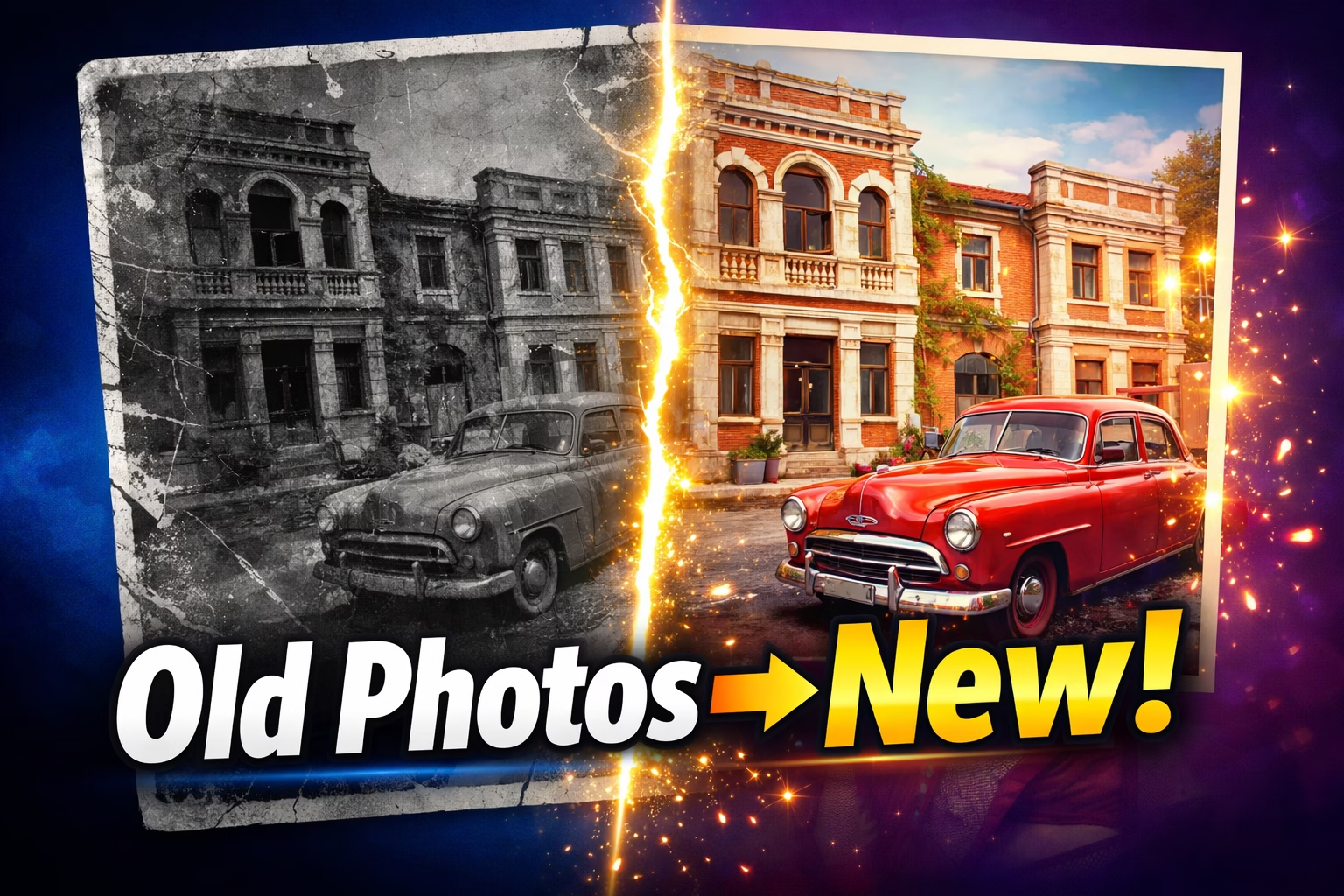
మీ Grandparents పాత Wedding Photo Faded అయిందా? Family Memories Scratched అయ్యాయా? నల్లగా, చెదిరిపోయిన పాత Photos ని మళ్ళీ New లా చేయాలనుందా? 😍
AI Photos Restore Technology 2026 లో అద్భుతంగా Advance అయింది! ఇప్పుడు ₹0 ఖర్చు లేకుండా, Professional Skills అవసరం లేకుండా, కేవలం Seconds లో మీ పాత Photos ని HD Quality లో Restore చేయవచ్చు!
గతంలో Professional Photo Editor దగ్గరికి వెళ్ళి ₹2,000-5,000 ఖర్చు పెట్టాల్సొచ్చేది. ఇప్పుడు అదే పని Free గా మీ Phone లేదా Laptop లో చేయవచ్చు!
ఈ AI Photos Restore Telugu Guide లో మనం నేర్చుకుంటాం:
- Best Free AI Photos Restore Tools 2026 ఏవి?
- Mobile Apps తో ఎలా Restore చేయాలి?
- Online Websites తో ఎలా చేయాలి?
- Black & White Photos కి Color ఎలా Add చేయాలి?
- Best Results కోసం Expert Tips ఏమిటి?
చదవడం మొదలుపెట్టండి — మీ Precious Memories మళ్ళీ Shine చేయబోతున్నాయి! ✨
AI Photos Restore అంటే ఏమిటి?
AI Photos Restore అంటే Artificial Intelligence వాడి పాత, Damaged Photos ని Automatically Repair చేయడం. Millions of Historical Photos తో Train చేసిన AI Models మీ Photo లో Problems Detect చేసి వాటిని Fix చేస్తాయి.
AI ఏమి Fix చేయగలదు?
| Problem | AI Solution |
|---|---|
| Scratches | Automatically Remove చేస్తుంది ✅ |
| Faded Colors | Restore చేస్తుంది ✅ |
| Blurry Faces | Sharp చేస్తుంది ✅ |
| Tears & Creases | Repair చేస్తుంది ✅ |
| Black & White | Color Add చేస్తుంది ✅ |
| Low Resolution | HD కి Upscale చేస్తుంది ✅ |
| Discoloration | Natural Colors Restore చేస్తుంది ✅ |
| Missing Details | Reconstruct చేస్తుంది ✅ |
Quick Overview — 2026 Best Free Tools
| Tool | Type | Free లో | Best For |
|---|---|---|---|
| NoteGPT | 🌐 Website | 100% Free ✅ | Quick Restore |
| Remini | 📱 Mobile App | Free (Daily Limit) | Face Restore |
| Canva | 🌐 Website | Free Plan ✅ | Easy Use |
| Pixelbin | 🌐 Website | 100% Free ✅ | Scratch Repair |
| MyHeritage | 🌐 Website | 5 Free ✅ | Animation |
| AIEnhancer | 🌐 Website | 100% Free ✅ | No Login |
| Palette.fm | 🌐 Website | 100% Free ✅ | Colorization |
| Google Photos | 📱 Mobile App | 100% Free ✅ | Basic Enhance |
| VanceAI | 🌐 Website | 5 Free Credits | Professional |
| PicWish | 🌐 Website | Free Tier ✅ | Face + Damage |
📱 Part 1: Best Free Mobile Apps
Mobile App 1: Remini — Face Restore కి King! 👑
ఎందుకు Best?
Remini 100 Million+ Downloads తో Mobile Photo Restoration లో Clear Leader. App యొక్క Strength దాని Simplicity మరియు Powerful Face Unblurring Capabilities — ఇవి మీ Phone Camera Roll నుండే పని చేస్తాయి.
AI Photos Restore చేయాలంటే Mobile లో Remini First Choice!
Free లో ఏమి వస్తుంది?
- రోజుకు కొన్ని Free Enhances ✅
- Face Enhancement ✅
- Basic Restoration ✅
- Watermark లేదు ✅
ఎలా వాడాలి?
Step 1: Play Store లో "Remini" Download చేయండి
Step 2: App Open చేయండి
Step 3: "Enhance" Tab Select చేయండి
Step 4: పాత Photo Select చేయండి
Step 5: 10-20 Seconds Wait చేయండి
Step 6: Before/After చూసి Save చేయండి ✅
ఎవరికి Best?
పాత Family Photos లో Faces Blurry గా ఉంటే Remini Magic చేస్తుంది!
Mobile App 2: Google Photos — అందరి Phone లో Free! 📷
ఎందుకు Best?
మీ Phone లో Already ఉన్న Google Photos App లో Free AI Enhancement Features ఉన్నాయి! Download అవసరం లేదు, Free!
Features:
- Auto Enhance ✅
- Brightness + Contrast Fix ✅
- Color Correction ✅
- Magic Eraser (Unwanted Objects Remove) ✅
- Free Unlimited Storage (Compressed) ✅
ఎలా వాడాలి?
Step 1: Google Photos Open చేయండి
Step 2: పాత Photo Select చేయండి
Step 3: Edit → Enhance Tap చేయండి
Step 4: Slider Adjust చేయండి
Step 5: Save Copy చేయండి ✅
🌐 Part 2: Best Free Website Tools
Website Tool 1: NoteGPT — 100% Free & Fast! 🆓
ఎందుకు Best?
NoteGPT’s AI Photo Restoration Tool 12 Million Users కి Trusted — Old Photos ని Seconds లో Revive చేస్తుంది. Repair Damage, Restore Details — 100% Free Online.
AI Photos Restore చేయడానికి Fastest Free Website!
Features — 100% Free:
- Zero Registration అవసరం లేదు ✅
- Batch Processing — Multiple Photos ✅
- Scratches, Fading, Blur Fix ✅
- Fast Results — Seconds లో ✅
- Watermark లేదు ✅
ఎలా వాడాలి?
Step 1: notegpt.io/ai-photo-restoration తెరవండి
Step 2: "Upload Photo" Button Click చేయండి
Step 3: పాత Photo Select చేయండి
Step 4: AI Automatically Restore చేస్తుంది
Step 5: Download చేయండి ✅
Website Tool 2: AIEnhancer — No Login Required! 🔓
ఎందుకు Best?
AIEnhancer Real Photo Restoration Needs కోసం Built చేయబడింది. Workflow చాలా Simple — Upload చేసి Restore చేసి Download చేయండి, Seconds లో. Creative Editing కాకుండా Fixing Old, Damaged Photos కి Focus చేస్తుంది.
Features — 100% Free:
- Login అవసరం లేదు ✅
- Instantly Process చేస్తుంది ✅
- Privacy Safe ✅
- Mobile Browser లో కూడా పని చేస్తుంది ✅
ఎలా వాడాలి?
Step 1: aienhancer.ai తెరవండి
Step 2: Photo Upload చేయండి
Step 3: Restore Click చేయండి
Step 4: Download చేయండి ✅
Website Tool 3: Canva — Easy & Free! 🎨
ఎందుకు Best?
Canva Free Online AI Photo Restoration Tool వాడి Old Photos Repair చేసి వాటిని Shine చేయవచ్చు — One Click లో! Professional Tools లేదా Fees అవసరం లేదు.
Features:
- One-click Restoration ✅
- Free Plan లో Available ✅
- Color Correction ✅
- Brightness, Exposure Adjust ✅
- B&W Photos Colorize ✅
- Templates తో Further Edit ✅
ఎలా వాడాలి?
Step 1: canva.com/features/photo-restoration తెరవండి
Step 2: "Upload" Photo చేయండి
Step 3: AI Automatically Restore చేస్తుంది
Step 4: Manual Adjustments చేయవచ్చు
Step 5: Download చేయండి ✅
Website Tool 4: Pixelbin — Scratch Repair కి Best! ⚡
ఎందుకు Best?
Pixelbin’s Old Photo Restoration Browser-based Solid Option. Damaged Photo Upload చేస్తే Tool Automatically Scratches, Discoloration, Fading, Blur, Tears అన్నీ Repair చేస్తుంది. Before-and-After Results Side by Side చూడవచ్చు.
Features — 100% Free:
- No Login అవసరం లేదు ✅
- Before/After Preview ✅
- JPG, PNG, WEBP Support ✅
- Automatic Damage Detection ✅
ఎలా వాడాలి?
Step 1: pixelbin.io తెరవండి
Step 2: AI Tools → Old Photo Restoration
Step 3: Photo Upload చేయండి (Max 10MB)
Step 4: 30 Seconds లో Process అవుతుంది
Step 5: HD Quality లో Download చేయండి ✅
Website Tool 5: MyHeritage — Face + Animation! 🎬
ఎందుకు Best?
MyHeritage Massive Popularity Gained — Photo Restoration కే కాదు, Viral “Deep Nostalgia” Feature వల్ల కూడా — దీంతో Old Family Photos Animate చేయవచ్చు. Millions of Social Media Shares వచ్చాయి!

Free లో ఏమి వస్తుంది?
- 5 Free Photo Enhancements ✅
- Face Restoration ✅
- Colorization ✅
- Deep Nostalgia Animation Trial ✅
ఎలా వాడాలి?
Step 1: myheritage.com తెరవండి
Step 2: Free Account Create చేయండి
Step 3: Photo Upload చేయండి
Step 4: Enhance + Colorize + Animate Select చేయండి
Step 5: Download చేయండి ✅
Website Tool 6: VanceAI — Professional Quality! 🏆
ఎందుకు Best?
VanceAI Multiple AI Models Combine చేసి Complete Restoration Platform తయారు చేసింది — Scratch Removal నుండి Face Improvement వరకు అన్నీ. దీని Strength ప్రతి Photo ని Analyze చేసి Right Restoration Techniques Automatically Apply చేయడం. VanceAI Millions of Historical Photographs తో Train చేయబడింది.
Free లో ఏమి వస్తుంది?
- 5 Free Credits Monthly ✅
- Scratch + Stain Removal ✅
- Face Enhancement ✅
- Color Restoration ✅
ఎలా వాడాలి?
Step 1: vanceai.com తెరవండి
Step 2: "Photo Restorer" Select చేయండి
Step 3: Photo Upload చేయండి
Step 4: Process చేసిన తర్వాత Download ✅
Website Tool 7: Palette.fm — B&W కి Color! 🎨
Black & White Photos కి Realistic Color Add చేయడానికి Best Free Tool!
Features — 100% Free:
- Automatic AI Colorization ✅
- Multiple Color Styles ✅
- Realistic Era-accurate Colors ✅
- No Login అవసరం లేదు ✅
ఎలా వాడాలి?
Step 1: palette.fm తెరవండి
Step 2: B&W Photo Upload చేయండి
Step 3: Color Style Choose చేయండి
Step 4: Realistic Colors వస్తాయి
Step 5: Download చేయండి ✅
పాత Photos ఎలా Scan చేయాలి? 📸
మంచి AI Photos Restore Results రావాలంటే మొదట మంచి Quality Scan అవసరం!
Phone Camera తో:
Step 1: పాత Photo ని Flat White Surface పై పెట్టండి
Step 2: Natural Light లో (Sunlight కాదు) Photo తీయండి
Step 3: 90° Angle లో Straight గా తీయండి
Step 4: Shadows పడకుండా చూసుకోండి
Step 5: High Resolution లో Save చేయండి
Microsoft Lens App వాడండి (Free!):
Play Store లో “Microsoft Lens” Download చేయండి — Phone Camera కంటే Better Quality Scan వస్తుంది. పూర్తిగా Free!
Best Scan Tips:
- 600 DPI లో Scan చేయండి — Better Quality
- Color Mode వాడండి — Black & White కూడా Color లో Scan చేయండి
- JPG లేదా PNG Format లో Save చేయండి
- Photo Frame లేదా Background Remove చేసి Upload చేయండి
Expert Tip — Multiple Tools కలిపి వాడండి! 💡
ఒక్క Tool కంటే రెండు మూడు Free Tools కలిపి వాడితే Professional Quality Results వస్తాయి!
Best Free AI Photos Restore Workflow:
Step 1: Pixelbin తో Scratches Repair చేయండి 🌐
        ↓
Step 2: Remini తో Face Enhancement చేయండి 📱
        ↓
Step 3: VanceAI తో Overall Enhancement చేయండి 🌐
        ↓
Step 4: Palette.fm తో B&W కి Color Add చేయండి 🌐
        ↓
Final: Professional Quality Photo Ready! 🎉
Black & White Photos కి Color — Complete Guide 🌈
Best Colorization Tools:
| Tool | Accuracy | Free | Speed |
|---|---|---|---|
| Palette.fm | ⭐⭐⭐⭐⭐ | 100% Free ✅ | Fast |
| MyHeritage | ⭐⭐⭐⭐⭐ | 5 Free ✅ | Medium |
| Canva | ⭐⭐⭐⭐ | Free Plan ✅ | Fast |
| VanceAI | ⭐⭐⭐⭐⭐ | 5 Credits ✅ | Medium |
Colorization ఎంత Accurate గా వస్తుంది?
1950-1990 Era Photos కి AI Best Results ఇస్తుంది. Clothes, Faces, Background అన్నీ Analyze చేసి Realistic, Era-accurate Colors Add చేస్తుంది. 100% Perfect కాకపోయినా — చాలా Close గా వస్తుంది!
Privacy గురించి జాగ్రత్తలు 🔒
Family Photos Upload చేసేటప్పుడు Privacy Important!
| Tool | Data Privacy |
|---|---|
| NoteGPT | ✅ Process తర్వాత Delete |
| AIEnhancer | ✅ Automatically Delete |
| Pixelbin | ✅ Secure Servers |
| Remini | ✅ Safe |
| Canva | ✅ Privacy Policy ఉంది |
Sensitive Photos కి:
చాలా Personal/Sensitive Family Photos కి Offline Tools వాడటం Better:
- GIMP (Free Desktop Software) — Download చేసి Offline Use చేయండి
- Photos Internet కి వెళ్ళవు
Restored Photos తో చేయగలిగేవి ✨
AI Photos Restore చేసిన తర్వాత ఈ Wonderful Things చేయవచ్చు:
1. Family WhatsApp Group లో Share చేయండి 💬
Restored Photos Share చేయండి — అందరూ Emotional అవుతారు, Happy అవుతారు!
2. Digital Album తయారు చేయండి 📚
Google Photos లో Family Album Create చేయండి — Future Generations కి Preserve అవుతుంది.
3. High Quality Print చేయండి 🖼️
HD Quality లో Restore చేసి Frame పెట్టండి — Gift కి Perfect!
4. Family Video తయారు చేయండి 🎬
CapCut App తో Restored Photos + Music కలిపి Emotional Family Video చేయండి.
5. Birthday Gift గా ఇవ్వండి 🎁
Grandparents కి వారి Old Wedding Photo Restored చేసి Gift ఇవ్వండి — Best Gift Ever!
మీకు ఏ Tool Suitable? — Use Case Guide
| మీ Need | Best Free Tool |
|---|---|
| Quick Restore కావాలంటే | NoteGPT ✅ |
| Face Restore కావాలంటే | Remini App ✅ |
| No Login కావాలంటే | AIEnhancer ✅ |
| B&W కి Color కావాలంటే | Palette.fm ✅ |
| Animation చేయాలంటే | MyHeritage ✅ |
| Professional Quality | VanceAI ✅ |
| Easy Design కావాలంటే | Canva ✅ |
| Scratch Repair కావాలంటే | Pixelbin ✅ |
| Multiple Photos ఒకేసారి | NoteGPT ✅ |
Honest Limitations — AI కి తెలుసుకోవాలి! ⚠️
AI Photos Restore చాలా Powerful అయినా కొన్ని Limitations ఉన్నాయి:
AI చేయగలిగేవి ✅
- Mild to Moderate Damage Fix
- Blurry Faces Sharp చేయడం
- Faded Colors Restore
- Scratches Remove
- Low Resolution Upscale
AI చేయలేనివి ❌
- Completely Destroyed Photos (90%+ Damage)
- Missing Facial Features Reconstruct
- Heavy Motion Blur Fix
- Very Old (Pre-1900) Heavily Damaged Photos
Professional Help ఎప్పుడు కావాలి? చాలా Severely Damaged Photos కి Professional Editors వద్దకు వెళ్ళడం Better. Online లో “Photo Restoration Service India” Search చేయండి.

Pros & Cons
AI Photos Restore Pros ✅
- పూర్తిగా Free — Zero Cost
- Minutes లో Professional Results
- Technical Skills అవసరం లేదు
- Mobile + Website రెండింటిలో Available
- B&W కి Realistic Color వస్తుంది
- Privacy Safe Tools ఉన్నాయి
- Multiple Photos ఒకేసారి Process చేయవచ్చు
- Family Memories Forever Preserve అవుతాయి
AI Photos Restore Cons ❌
- Internet Connection కావాలి (Initial Phase కి)
- Severely Damaged Photos కి Limits ఉంటాయి
- Free Plans లో Daily/Monthly Limits
- Results 100% Perfect కాకపోవచ్చు
- Telugu Language AI Support Limited
నా Final Verdict 🏆
AI Photos Restore 2026 లో చాలా Accessible మరియు Powerful అయింది! మీరు Tech Expert కాకపోయినా, పెద్ద Budget లేకపోయినా — పూర్తిగా Free గా మీ పాత Memories Restore చేయవచ్చు.
Best Strategy:
మొదట: NoteGPT తో Quick Test చేయండి (Free)
Face Issues ఉంటే: Remini App వాడండి (Free)
B&W అయితే: Palette.fm వాడండి (Free)
Best Quality కి: Multiple Tools కలిపి వాడండి!
మీ పాత Family Photos ఇంట్లో ఉంటే — ఈరోజే AI Photos Restore మొదలుపెట్టండి! Memories Preserve చేయడానికి ఇంతకంటే Better Time లేదు. 🙏
FAQs
Q1: AI Photos Restore చేయడం నిజంగా Free నా? అవును! NoteGPT, AIEnhancer, Pixelbin, Palette.fm అన్నీ 100% Free. Remini, VanceAI, MyHeritage కి Limited Free Tiers ఉన్నాయి — Basic Use కి సరిపోతాయి.
Q2: Badly Damaged Photos Restore అవుతాయా? Mild to Moderate Damage అయితే 80-90% Better అవుతాయి. Severely Damaged Photos కి Multiple Tools కలిపి వాడితే Better Results వస్తాయి.
Q3: Mobile లో Best Free App ఏది? Remini App — Face Restoration లో Excellent. రోజుకు కొన్ని Free Enhances వస్తాయి.
Q4: B&W Photo కి Color Add చేయడం Accurate గా వస్తుందా? Palette.fm చాలా Accurate Results ఇస్తుంది. 1950-1990 Era Photos కి Era-accurate Colors వస్తాయి.
Q5: Upload చేసిన Family Photos Safe గా ఉంటాయా? NoteGPT, AIEnhancer, Pixelbin అన్నీ Process తర్వాత Photos Delete చేస్తాయి. Very Sensitive Photos కి GIMP వంటి Offline Tool వాడటం Better.
Q6: Multiple Photos ఒకేసారి Restore చేయవచ్చా? అవుతుంది! NoteGPT లో Batch Processing Free గా వస్తుంది. VanceAI Paid Plan లో Bulk Processing ఉంది.
Q7: Phone Camera తో Scan చేసిన Photos Restore అవుతాయా? అవుతాయి! Good Lighting లో Straight గా Photo తీస్తే Better Results వస్తాయి. Microsoft Lens App (Free) వాడితే మరింత Better Quality వస్తుంది.
Free Tools Links
| Tool | Type | Link |
|---|---|---|
| Remini | 📱 Mobile | Play Store |
| Google Photos | 📱 Mobile | Phone లో Already ఉంది |
| NoteGPT | 🌐 Website | notegpt.io/ai-photo-restoration |
| AIEnhancer | 🌐 Website | aienhancer.ai |
| Canva | 🌐 Website | canva.com/features/photo-restoration |
| Pixelbin | 🌐 Website | pixelbin.io |
| MyHeritage | 🌐 Website | myheritage.com |
| VanceAI | 🌐 Website | vanceai.com |
| Palette.fm | 🌐 Website | palette.fm |
Related Articles
మీ పాత Photos Restore చేశారా? ఏ Tool Best గా Work అయిందో Comment లో చెప్పండి! 👇
ఈ Article మీ Family Members తో Share చేయండి — వారి పాత Memories కూడా Free గా Restore చేయవచ్చు! 😊
TeluguTech.io — తెలుగు లో Tech అర్థం చేసుకోవడానికి మీ Trusted Source! 🙏