పరిచయం (Introduction)
Instagram Reels, YouTube Shorts, WhatsApp Status — ఇవి Viral గా చేయాలంటే CapCut App అందరి మొదటి Choice! 🎬✨
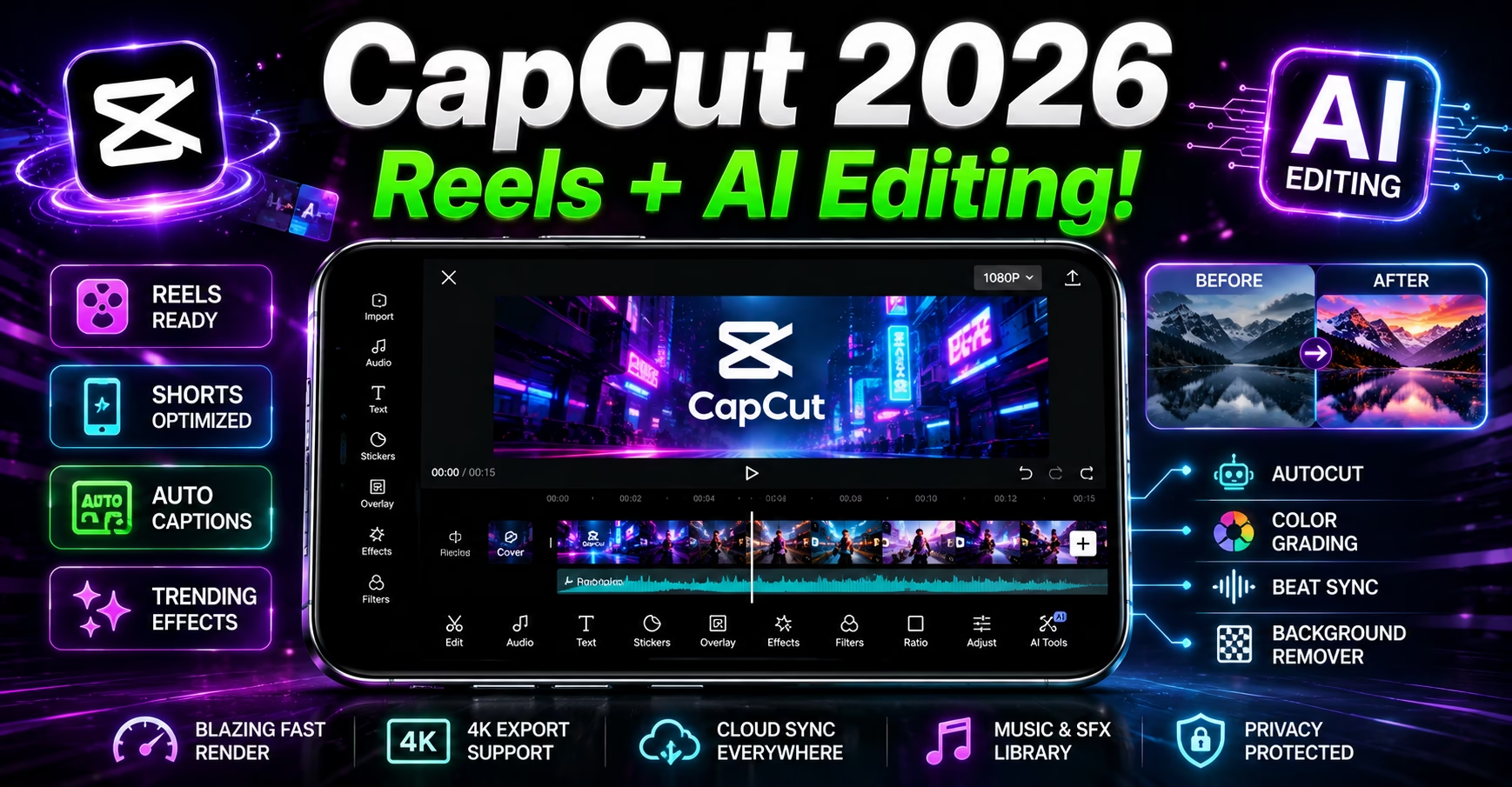
CapCut 2026 లో Simple Video Editor నుండి Full AI-powered Creative Powerhouse గా మారింది! 357 Million+ Downloads తో ఇది World’s Most Popular Video Editing App. India లో Creators — Students, Housewives, Businessmen అందరూ CapCut వాడుతున్నారు!
ఈ CapCut App Telugu Guide లో మనం అన్నీ నేర్చుకుంటాం:
- CapCut అంటే ఏమిటి?
- Basic మరియు Advanced Features ఏమిటి?
- Reels, Shorts ఎలా చేయాలి?
- AI Features ఎలా వాడాలి?
- Free vs Pro తేడా ఏమిటి?
- India లో Download ఎలా చేయాలి?
చదవడం మొదలుపెట్టండి — మీ Videos Professional గా మారబోతున్నాయి! 🚀
CapCut అంటే ఏమిటి?
CapCut ByteDance (TikTok Company) తయారు చేసిన Free Video Editing App. 2020 లో Launch అయింది — ఇప్పుడు World’s #1 Mobile Video Editor!
Key Facts:
| Feature | Details |
|---|---|
| Developer | ByteDance |
| Downloads | 357 Million+ |
| Platforms | Android + iPhone + PC |
| Price | Free (Pro Plan Available) |
| Best For | Reels, Shorts, TikTok Videos |
| AI Features | 2026 లో చాలా New! |
| Languages | English (Telugu UI Coming) |
CapCut ఎందుకు Popular?
- Free లో Professional Quality Videos ✅
- Templates — ఒక్క Click లో Trending Videos ✅
- AI Tools — Automatic Captions, Background Remove ✅
- Easy — Beginners కూడా వాడవచ్చు ✅
- Social Media కి Direct Export ✅
⚠️ Important: India లో CapCut Status!
CapCut ByteDance Company Product కాబట్టి India లో Official గా Available కాదు. Yes, CapCut remains officially restricted in India. However, creators continue to use the app by downloading the CapCut APK from trusted third-party sources and using a VPN to access online templates and effects.
India లో Safe గా Download చేయడానికి Options:
Option 1: APK Download (Popular Method)
- Trusted Sites నుండి APK Download చేయవచ్చు
- Install చేసి Offline Features వాడవచ్చు
- Online Templates కి VPN కావాలి
Option 2: VPN తో Play Store
- VPN Connect చేసి (Singapore లేదా USA)
- Play Store లో CapCut Search చేయండి
- Install చేసుకోవచ్చు
Option 3: PC Version
- capcut.com Website లో VPN తో వాడవచ్చు
- Browser లో Full Features వస్తాయి
⚠️ Warning:
Unknown Sources నుండి APK Download చేస్తే Risk ఉంటుంది. Trusted Sources మాత్రమే వాడండి. Basic Editing కి Offline గా వాడవచ్చు.
CapCut App Interface — అర్థం చేసుకోండి 📱
Home Screen:
Top: Projects, Templates, AI Tools
Middle: New Project Button (+ Icon)
Bottom: Home, Templates, Create, Messages, Profile
Editor Screen:
Top: Export Button, Settings
Middle: Video Preview
Bottom: Timeline (మీ Video + Audio)
Below: Tools Menu
CapCut App Main Tools:
| Tool | పని |
|---|---|
| Trim | Video Cut చేయడానికి |
| Split | రెండు భాగాలుగా చేయడానికి |
| Speed | Fast/Slow Motion |
| Audio | Music Add చేయడానికి |
| Text | Captions Add చేయడానికి |
| Stickers | Emoji, GIF Add చేయడానికి |
| Filters | Color Tone Change చేయడానికి |
| Effects | Visual Effects |
| Transitions | Scene Change Effects |
Part 1: Basic Editing — Beginners గా Start చేయండి!
Step 1: New Project Create చేయడం
CapCut Open చేయండి
→ "+" New Project Button Tap చేయండి
→ Gallery నుండి Video/Photo Select చేయండి
→ Multiple Select చేయవచ్చు (Order Matters!)
→ "Add" Button Tap చేయండి
→ Editor Screen Open అవుతుంది ✅
Step 2: Video Trim చేయడం ✂️
Unwanted Parts Remove చేయడానికి:
Method 1 (Direct):
Timeline లో Video Tap చేయండి
→ Edges Drag చేసి Trim చేయండి ✅

Method 2 (Split):
Cursor ని Trim Point కి Move చేయండి
→ "Split" Button Tap చేయండి
→ Unwanted Part Select చేయండి
→ Delete Tap చేయండి ✅
Step 3: Music Add చేయడం 🎵
Bottom Menu లో "Audio" Tap చేయండి
→ "Sounds" Select చేయండి
→ Search లో Song Name Type చేయండి
→ Song Select చేయండి
→ "+" Add చేయండి ✅
Copyright Free Music ఎక్కడ దొరుకుతుంది?
CapCut లో Built-in Copyright Free Music Library ఉంది — Instagram, YouTube కి Safe గా Upload చేయవచ్చు!
Step 4: Text Captions Add చేయడం 📝
Bottom Menu లో "Text" Tap చేయండి
→ "Add Text" Select చేయండి
→ మీ Text Type చేయండి
→ Font, Color, Size Adjust చేయండి
→ Timeline లో Duration Set చేయండి ✅
Telugu లో Text:
CapCut లో Telugu Font వాడవచ్చు! Custom Telugu Fonts Import చేయవచ్చు.
Step 5: Filters & Effects Add చేయడం 🎨
Filters:
Bottom Menu → "Filter" → Category Select చేయండి → Apply ✅

Effects:
Bottom Menu → "Effects" → Visual/Basic → Effect Choose చేయండి ✅
Step 6: Export చేయడం 📤
Top Right Corner లో Export Button (⬆️) Tap చేయండి
→ Resolution Select చేయండి (1080P Recommended)
→ Frame Rate Choose చేయండి (30fps Normal, 60fps Smooth)
→ "Export" Tap చేయండి
→ Gallery లో Save అవుతుంది ✅
Export Settings Recommendation:
| Platform | Resolution | FPS |
|---|---|---|
| Instagram Reels | 1080P | 30fps |
| YouTube Shorts | 1080P | 60fps |
| WhatsApp Status | 720P | 30fps |
| TikTok | 1080P | 30fps |
Part 2: Advanced Features — Pro గా వాడండి!
Advanced Feature 1: Templates — ఒక్క Click లో Viral! 🔥
CapCut Templates అత్యంత Powerful Feature! Trending Template Select చేసి మీ Photos/Videos Add చేస్తే — Ready!
Home Screen లో "Templates" Tap చేయండి
→ Search లో Trend Type చేయండి
→ Template Select చేయండి
→ "Use Template" Tap చేయండి
→ మీ Media Add చేయండి
→ Export చేయండి ✅
Popular Template Categories:
- Birthday Wishes
- Travel Vlogs
- Product Showcase
- Motivational Quotes
- Trending Music Templates
- Festival Wishes (Ugadi, Sankranti)
Advanced Feature 2: Speed Control 🚀
Video Select చేయండి
→ Bottom Menu లో "Speed" Tap చేయండి

Normal Speed: 1x (Normal)
Slow Motion: 0.1x, 0.5x
Fast Motion: 2x, 3x, 5x, 100x

Curve Speed: Gradually Change చేయవచ్చు!
ఎప్పుడు వాడాలి?
- Action Shots: Fast Motion (2x-3x)
- Emotional Moments: Slow Motion (0.5x)
- Timelapse: 5x-10x
Advanced Feature 3: Green Screen / Chroma Key 🎭
Background Remove చేయడానికి:
Video Layer Add చేయండి
→ "Cutout" → "Chroma Key" Select చేయండి
→ Green Background Color Sample చేయండి
→ Intensity Adjust చేయండి
→ Any Background Add చేయండి ✅
Usage:
- వేరే Background లో Interview చేసినట్టు చూపించడానికి
- Product Videos కి
- Creative Reels కి
Advanced Feature 4: Keyframe Animation 🎯
Objects Animate చేయడానికి:
Clip Select చేయండి
→ Diamond Shape Icon (◇) Tap చేయండి
→ Starting Point లో Keyframe Add చేయండి
→ Ending Point కి Move చేయండి
→ Scale/Position/Opacity Change చేయండి
→ Automatic Animation వస్తుంది ✅
Part 3: AI Features 2026 — Game Changer! 🤖
CapCut AI Video Editor Powerful Features తో Workflow Streamline చేసి Creativity Unleash చేయవచ్చు. Automatic Highlight Identification, Subtitle Integration, Multiple Languages Support తో Lengthy Videos ని Short Films గా Convert చేయవచ్చు.

AI Feature 1: Auto Captions — Automatic Subtitles! 📝
ఇది CapCut App Telugu Guide లో అత్యంత Popular Feature!
Audio Add చేసిన తర్వాత
→ "Text" → "Auto Captions" Tap చేయండి
→ Language Select చేయండి
→ AI Automatically Subtitles Generate చేస్తుంది ✅
→ Style, Font, Color Customize చేయవచ్చు
ఎందుకు Useful?
- Video Silent గా చూసేవారికి Help అవుతుంది
- Instagram Reels లో Captions వాడే Videos ఎక్కువ Reach పొందుతాయి
- Time Save అవుతుంది — Manual Type చేయాల్సిన అవసరం లేదు
AI Feature 2: Background Remove — Auto! 🪄
Image/Video Select చేయండి
→ "Cutout" → "Auto Removal" Tap చేయండి
→ AI తనే Background Remove చేస్తుంది ✅
→ New Background Add చేయవచ్చు
ఉపయోగాలు:
- Product Photos Background Clean చేయడానికి
- Professional Looking Videos కి
- Virtual Background తో Interviews కి
AI Feature 3: AI Video Enhance — Old Videos HD! ⬆️
Upscale Video to 4K, inject real details into video, and sharpen blur, all using AI, in one click.
Video Import చేయండి
→ "Enhance" → "AI Enhancement" Tap చేయండి
→ 4K Quality కి Upscale అవుతుంది ✅
AI Feature 4: AI Portrait Generator 🎨
Create stunning AI generated portraits in seconds. Upload a photo, pick a style, and let our free AI portrait generator transform you into a 3D cartoon, Chibi, Barbie, or meme art.
"AI Tools" → "AI Portrait" Select చేయండి
→ Photo Upload చేయండి
→ Style Choose చేయండి (Cartoon, Anime, etc.)
→ AI Transform చేస్తుంది ✅
AI Feature 5: Seedream 5.0 — AI Image Generator! 🖼️
CapCut’s Seedream 5.0 AI Text Prompts ని High-quality, Realistic Images గా Transform చేస్తుంది. No Design Skills అవసరం లేదు.
"AI Tools" → "Image Generator" Select చేయండి
→ English లో Prompt Type చేయండి
→ Style Choose చేయండి
→ AI Image Generate చేస్తుంది ✅
AI Feature 6: AI Text to Video 🎬
Generate videos instantly with CapCut’s AI Video Maker using avatars, AI templates, and one-click text-to-video, for polished, ready-to-share content.
"AI Tools" → "Text to Video" Select చేయండి
→ Script Type చేయండి
→ Style Choose చేయండి
→ AI Video Create చేస్తుంది ✅
Part 4: Reels మరియు Shorts ఎలా చేయాలి?
Instagram Reels — Step by Step!
Step 1: CapCut Open → New Project
Step 2: 9:16 Ratio లో Video/Photos Add చేయండి
Step 3: Trending Music Add చేయండి
Step 4: Auto Captions Enable చేయండి
Step 5: Transitions Add చేయండి
Step 6: Effects/Filters Apply చేయండి
Step 7: 1080P 30fps లో Export చేయండి
Step 8: Instagram లో Upload చేయండి ✅
Viral Reels Tips:
- First 3 Seconds Hook గా ఉండాలి
- Trending Music వాడండి
- Captions తప్పకుండా Add చేయండి
- Bright Colors Use చేయండి
- 15-30 Seconds Optimal Length
YouTube Shorts — Step by Step!
Step 1: New Project → 9:16 Vertical Video
Step 2: 60 Seconds లోపు Content
Step 3: Captions Add చేయండి
Step 4: End Screen (Subscribe Text) Add చేయండి
Step 5: 1080P 60fps Export
Step 6: YouTube App లో Shorts Upload చేయండి ✅
Part 5: Free vs Pro Comparison 💰
CapCut Core Editing, Templates, Standard Exports కి Free. Optional CapCut Pro Advanced AI Features, Exclusive Assets, Additional Cloud Storage Add చేస్తుంది.
Free vs Pro Features:
| Feature | Free | Pro |
|---|---|---|
| Basic Editing | ✅ | ✅ |
| Templates | ✅ Limited | ✅ All Access |
| Export | 1080P | 4K ✅ |
| Watermark | ❌ (No Watermark!) | ❌ |
| AI Features | Limited | Full Access ✅ |
| Cloud Storage | Basic | More ✅ |
| Premium Effects | ❌ | ✅ |
| Advanced AI Tools | Limited | All Tools ✅ |
Free Plan Worth it నా?
అవుతుంది! CapCut Free Plan Beginners నుండి Intermediate Creators వరకు అందరికీ సరిపోతుంది. Pro అవసరం లేదు — Free లోనే Professional Quality వస్తుంది.
Pro కి ఎప్పుడు Upgrade చేయాలి?
- 4K Export కావాలంటే
- All AI Features కావాలంటే
- Business Videos తయారు చేస్తుంటే
Part 6: CapCut vs Competitors
| Feature | CapCut | InShot | VN App | KineMaster |
|---|---|---|---|---|
| Price | Free ✅ | Free/Paid | Free ✅ | Paid |
| AI Features | ✅ Best | Limited | Limited | Limited |
| Templates | ✅ Excellent | Good | Good | Limited |
| Auto Captions | ✅ | ❌ | ❌ | ❌ |
| Ease of Use | ✅ Easy | Easy | Medium | Hard |
| Export Quality | 4K (Pro) | 4K (Pro) | 4K ✅ | 4K |
| India Available | ⚠️ VPN | ✅ | ✅ | ✅ |
Pro Tips — Telugu Creators కి Special! 🌟
Tip 1: Trending Templates వాడండి
CapCut Template Section లో రోజూ కొత్త Templates వస్తాయి. Trending Templates వాడినప్పుడు Organic Reach చాలా వస్తుంది.
Tip 2: Auto Captions తప్పకుండా వాడండి
Research చెప్పిన దాని ప్రకారం Captions ఉన్న Videos 40% ఎక్కువ Engagement పొందుతాయి. Auto Captions Free లో వస్తుంది — Use చేయండి!
Tip 3: Color Grading నేర్చుకోండి
“Adjust” Section లో Brightness, Contrast, Saturation, Warmth అన్నీ Manually Set చేయడం నేర్చుకోండి — Videos Professional గా కనిపిస్తాయి.
Tip 4: Transitions Overuse చేయకండి
చాలా Transitions వాడటం Videos ని Unprofessional గా చేస్తుంది. Simple Cut లేదా Smooth Transition చాలు.
Tip 5: Golden Hour Light వాడండి
CapCut Filter Apply చేసే ముందు Good Lighting లో Video తీయండి — Editing Easier అవుతుంది, Results Better వస్తాయి.
CapCut తో Earn చేయడానికి Ways! 💰
1. Instagram Reels Monetization:
5,000+ Followers ఉంటే Instagram Reels Monetization Apply చేయవచ్చు. CapCut Reels తయారు చేయడానికి Perfect Tool.
2. YouTube Shorts Revenue:
YouTube Shorts Fund తో డబ్బు వస్తుంది. 1,000 Subscribers + 4,000 Hours Watch Time కి Apply చేయవచ్చు.
3. Freelance Video Editing:
CapCut నేర్చుకుని Small Businesses కి Videos చేసి ₹500-5,000 per Video Charge చేయవచ్చు.
4. Social Media Management:
Businesses కి Social Media Handle చేయడానికి CapCut Videos Create చేసి Monthly Income Earn చేయవచ్చు.

Pros & Cons
CapCut App Pros ✅
- 100% Free — Basic Features కి
- 357M+ Downloads — Most Popular
- AI Features Excellent — Auto Captions, BG Remove
- Templates — ఒక్క Click లో Viral Videos
- No Watermark Free Plan లో కూడా ✅
- Regular Updates — New Features వస్తాయి
- Multiple Export Options
- TikTok, Instagram, YouTube Integration
CapCut App Cons ❌
- India లో Official గా Available కాదు
- VPN కావాలి Online Features కి
- ByteDance Privacy Concerns
- 4K Export కి Pro కావాలి
- Heavy AI Features కి Internet కావాలి
- Battery Usage ఎక్కువ
నా Final Verdict 🏆
ఈ CapCut App Telugu Guide లో అన్నీ Cover చేశాం! CapCut App 2026 లో Beginners నుండి Professional Creators వరకు అందరికీ Best Video Editing Tool! AI Features, Templates, Auto Captions — ఇవన్నీ Free లో వస్తాయి.
India లో VPN తో వాడటానికి కొంచెం Extra Steps అవసరం. కానీ Features చూస్తే — Worth it!
Content Create చేయాలనుకుంటే → CapCut App Download చేయండి — ఈరోజే Start చేయండి! 🎬
Rating: 9/10 ⭐⭐⭐⭐⭐⭐⭐⭐⭐
FAQs
Q1: CapCut India లో Free గా వాడవచ్చా? CapCut India లో Official గా Available కాదు. APK Download లేదా VPN తో Google Play నుండి Download చేయవచ్చు. Basic Offline Editing VPN లేకుండా చేయవచ్చు.
Q2: CapCut లో Telugu Captions Add చేయవచ్చా? అవుతుంది! Auto Captions Feature Telugu Voice ని Detect చేస్తుంది. Telugu Font Import చేసి Custom Captions కూడా Add చేయవచ్చు.
Q3: CapCut Videos Instagram కి Upload చేయవచ్చా? అవుతుంది! CapCut లో Directly Instagram కి Share చేయవచ్చు. లేదా Gallery కి Export చేసి Instagram లో Upload చేయవచ్చు.
Q4: CapCut Pro Worth it నా? Beginners మరియు Casual Creators కి Free Plan చాలు. Professional Creators కి 4K Export మరియు Advanced AI Features కోసం Pro Consider చేయవచ్చు.
Q5: CapCut Safe నా? ByteDance (TikTok Company) Product కావడం వల్ల కొంత Privacy Concern ఉంది. Sensitive Content Create చేస్తుంటే VN App లేదా InShot Consider చేయండి.
Q6: CapCut లో Watermark వస్తుందా? Free Plan లో కూడా Watermark రాదు — ఇది CapCut యొక్క Major Advantage! Pro కి Upgrade చేయాల్సిన అవసరం లేదు Basic Use కి.
Q7: CapCut vs VN App — ఏది Better? CapCut AI Features కి Best. VN App India లో Officially Available, No Privacy Concerns. Instagram Reels Viral Videos కి CapCut Better. Privacy కి VN App Better.
Download Info
- 💻 PC/Web → capcut.com (VPN తో)
Related Articles
మీరు CapCut App వాడుతున్నారా? Comment లో మీ Experience చెప్పండి! 👇
ఈ Article మీ Creator Friends తో Share చేయండి! 😊
TeluguTech.io — తెలుగు లో Tech అర్థం చేసుకోవడానికి మీ Trusted Source! 🙏